At the beginning of the year, in the post "A More Convenient Way to Open Cool Papers: Chrome Redirector Extension", we released a Chrome browser extension (Cool Papers Redirector v0.1.0). It allowed users to redirect to Cool Papers from any page via a right-click menu, making it easier for everyone to access Kimi’s understanding of research papers. A few days ago, we upgraded the extension to v0.2.0 and successfully listed it on the Chrome Web Store. I am writing this to share the update with you.
Update Summary
Compared to the old version v0.1.0, the main updates in the current version v0.2.0 are as follows:
1. Right-click menu redirection now opens in a new tab;
2. The right-click menu supports accessing multiple paper IDs simultaneously;
3. The right-click menu now supports PDF pages;
4. Added more paper sources to the right-click menu (arXiv, OpenReview, ACL, IJCAI, PMLR);
5. If no paper ID is found, the right-click menu redirects to an internal site search (i.e., highlight-to-search);
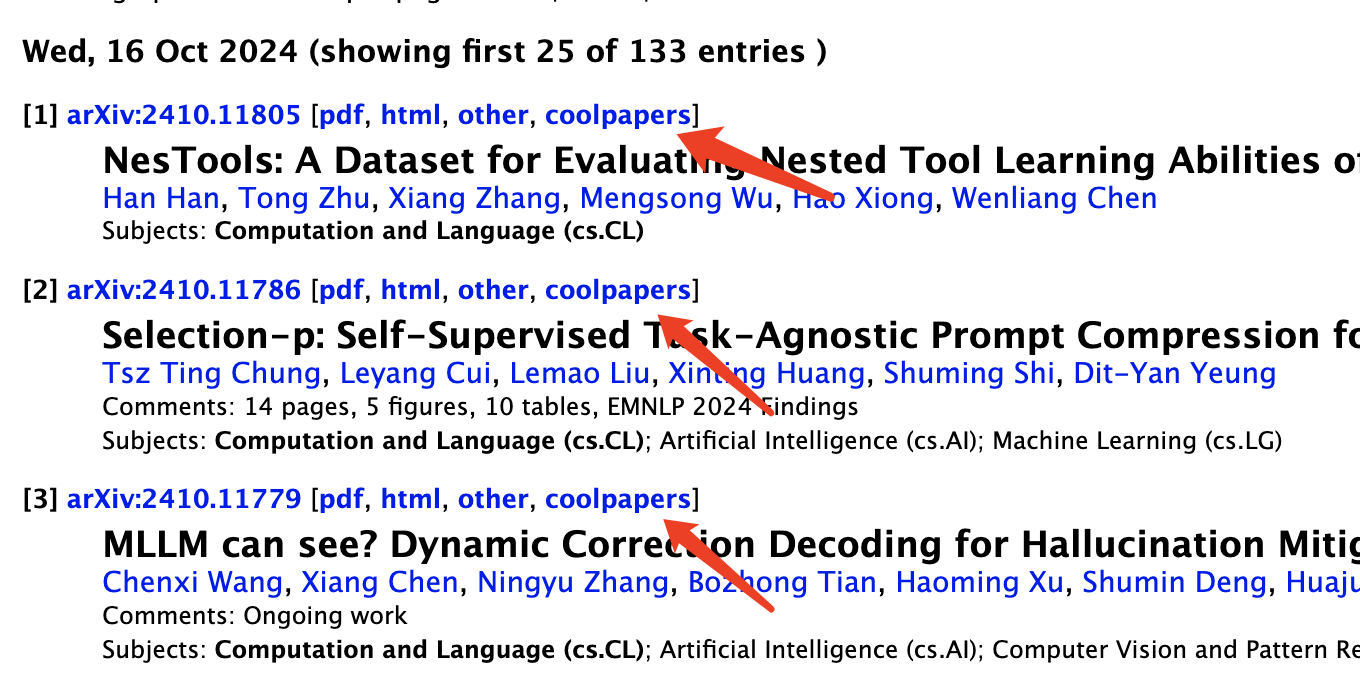
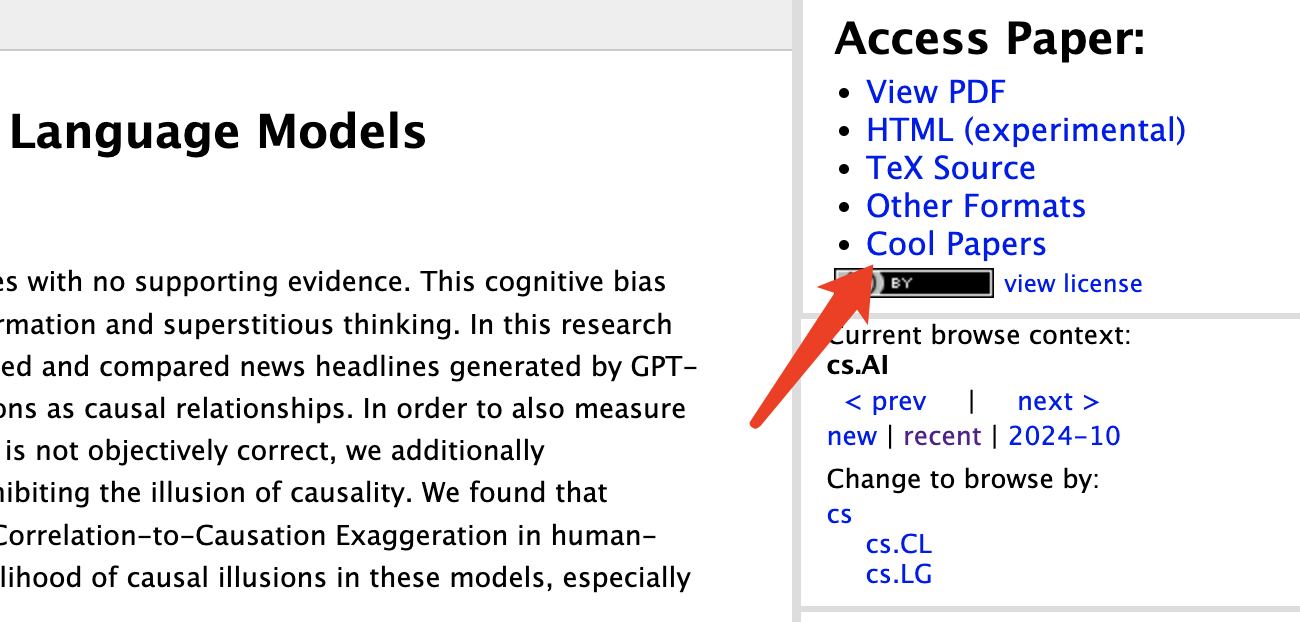
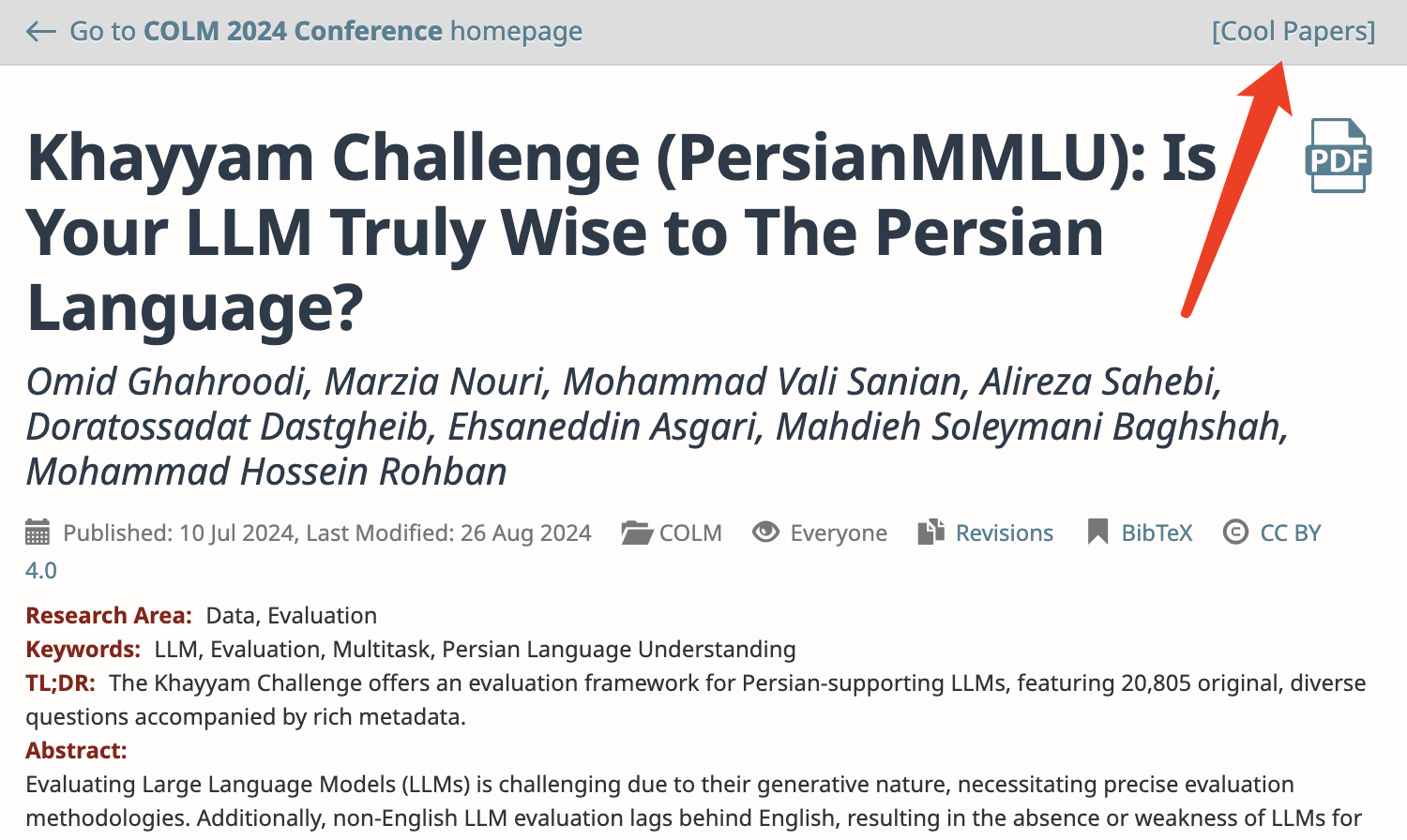
6. Shortcut redirection links are inserted at appropriate positions on certain websites (arXiv, OpenReview, ACL).
Below is a detailed introduction to these updates.
Page Links
The final change is a newly introduced feature outside of the right-click menu. It inserts hyperlinks that jump to Cool Papers at appropriate locations on certain pages. These pages include arXiv list pages, arXiv detail pages, the entire OpenReview site, and ACL detail pages. I hope this change does not interfere with your original browsing experience. If it causes any inconvenience, please let me know.

Summary
This article briefly introduces the upgrade of the Cool Papers Redirector browser extension based on my own usage experience. Everyone is welcome to test it. If you have further suggestions for improvement, please feel free to leave a comment.
When reposting, please include the original address of this article: https://kexue.fm/archives/10480
For more detailed information regarding reposting, please refer to: "Scientific Space FAQ"