For a long time, readers have suggested adding a Zotero import function to Cool Papers. However, since I do not use Zotero myself and have been somewhat lazy, it was never put on the agenda. Having some free time this weekend, I researched it and implemented a simple adaptation.
Single Paper Import
First, you need to install Zotero (this goes without saying), and then you need to install the Zotero Connector extension for your browser. Once installed, visit a single paper page on Cool Papers, such as https://papers.cool/arxiv/2104.09864 or https://papers.cool/venue/2024.naacl-long.431@ACL, and click the Zotero Connector icon. The paper will be imported automatically, including the PDF file.
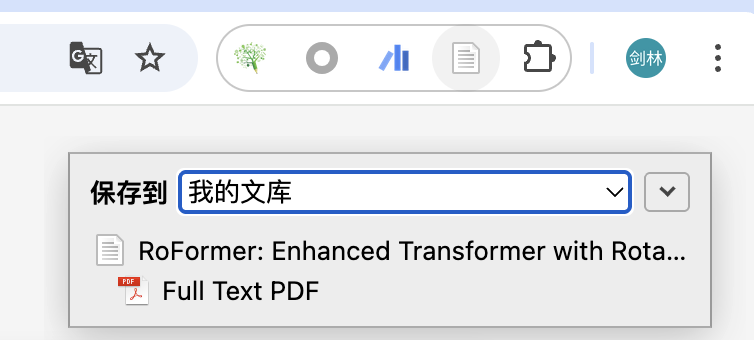
The saved information includes the paper title, authors, abstract, date, and the primary category (arXiv) or the conference (for venue papers). This is achieved by embedding metadata in the webpage header, requiring no additional configuration from the user. The disadvantage is that it only supports importing one paper per page.
Batch Import
To support batch importing, it must be implemented via a Translator, which is necessary for complex imports. When visiting the official arXiv website, the Zotero Connector can automatically identify multiple papers and let us choose which ones to import; this is done through a Translator. While arXiv’s Translator is built into Zotero, the one for Cool Papers naturally had to be written from scratch.
A Translator is essentially a piece of JavaScript code. I have
written it and uploaded it to GitHub (Link).
Readers only need to save it and place it in the
translators directory of Zotero (on MacOS, this is usually
User/Zotero/translators), then restart Zotero for it to
take effect. (Note: The Translator is configured in Zotero itself, not
in the Zotero Connector.)
Now, when we visit a list page, such as https://papers.cool/arxiv/cs.AI or https://papers.cool/venue/ACL.2025, the Zotero Connector icon should normally change into a folder icon. Clicking it will bring up the following multi-selection box:
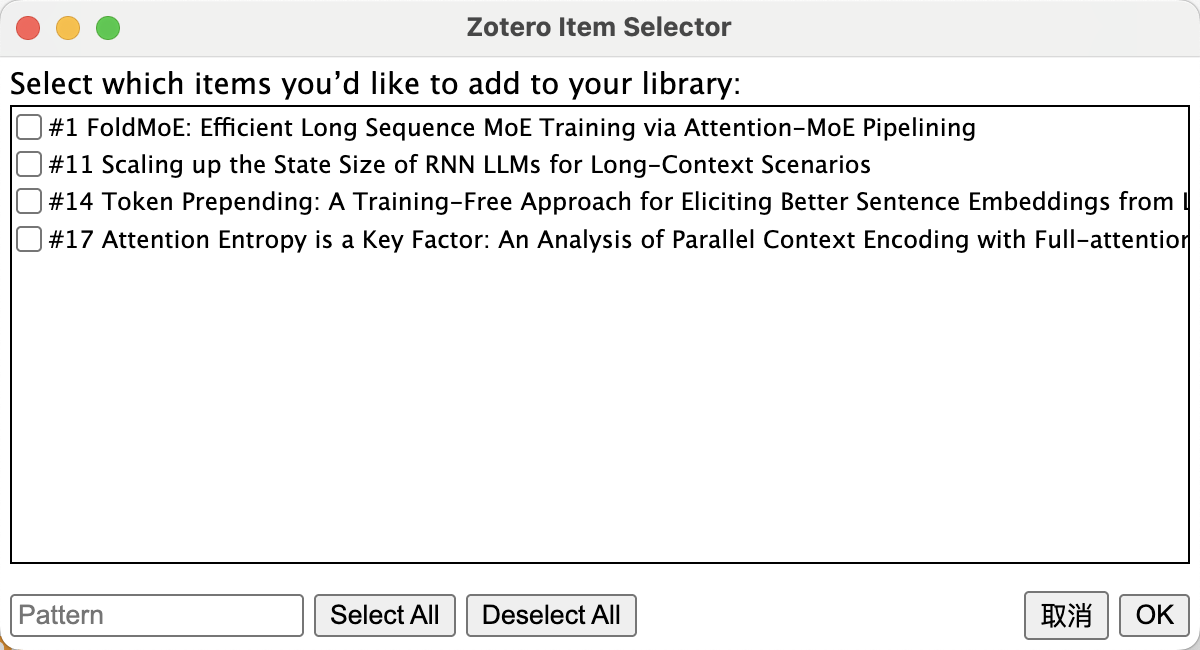
The papers displayed here are not all the papers in the current list; rather, they are the papers on the current page for which you have clicked "[PDF]" or "[Kimi]". This implies that you might be interested in these papers and may need to save them to Zotero. This is the logic behind Cool Papers’ adaptation for Zotero.
Summary
I have made some simple adjustments to Cool Papers and written a Translator so that it can work with the Zotero Connector to import papers from Cool Papers into Zotero.